
One Day with CachyOS: An Arch Experience Without the Arch Pain
I've been a Windows user for most of my computing life. My main daily driver is an M1 Max Mac Studio, but that's strictly a productivity machine: code, writing, the occasional terminal rabbit hole. For everything else — gaming, tinkering, the stuff that doesn't belong on a work machine — I've been on Windows. Until this week.
I'm done with Windows.
Why I Left
The breaking point wasn't one thing. It was the accumulation.
Windows Update is the most disrespectful feature in modern computing. No one asks to be updated. No one wants their machine to reboot in the middle of a task because Microsoft decided that now is the time to install KB5041234. You can defer updates. You can pause them. But you can't stop them. They will come down your throat regardless, and you will sit there watching a spinner that says "Working on updates — 34% — Don't turn off your computer" as if you had a choice.
And then there's the AI bloat. Copilot is everywhere now. It's in the taskbar. It's in the Start menu. It's in the right-click context menu. Recall wants to screenshot everything you do and feed it to a local model. None of this was requested. None of it is useful. It's software that exists because a company needed a keynote demo, not because a user needed a feature. Every major Windows update brings more of this: features nobody asked for, consuming resources nobody offered, solving problems nobody has.
My Mac doesn't do this. My Mac updates when I tell it to, adds features I actually use, and otherwise stays out of my way. I wanted that same respect from my second machine. Windows wasn't going to give it to me.
Why I Stayed on Windows as Long as I Did
Driver support. That's the honest answer.
I test a lot of hardware. Mini PCs, networking gear, storage controllers, random peripherals from brands that barely have a website. On Windows, driver support is effectively universal. Plug something in, Windows Update finds a driver, it works. Worst case, you download an installer from the manufacturer's site and you're done. I never once worried about whether a piece of hardware would work on Windows.
Linux doesn't have that luxury. Every new device is a coin flip. Will the kernel have a driver? Is it the right version? Does it need firmware that isn't included because of licensing? Will it work but only partially — connected but no fan control, recognized but no 6GHz, detected but no hardware acceleration? I've written entire blog posts about exactly these problems. The WiFi 6GHz debacle with the MT7922 was a regulatory flag in a text file. The IT5570 fan controller had no Linux driver at all. These aren't obscure edge cases — they're mainstream hardware in popular mini PCs.
For someone who regularly puts new hardware on a bench, this is a real cost. Every device I test on Linux might need an hour of debugging before it does what it did on Windows out of the box. That friction kept me on Windows longer than I wanted to be there.
What finally tipped the scales was the realization that the hardware I actually use day-to-day — not test, but use — works fine on Linux. The AceMagic W1's AMD APU, Realtek networking, NVMe storage: all supported out of the box. And for the things that don't work, Linux gives me the tools to fix them myself. Windows gives me a driver that might pre-date the existence of Bitcoin.
Why CachyOS
I'd heard good things about Arch Linux. The rolling releases, the AUR, the philosophy of giving you exactly what you ask for and nothing more — it all appealed to me. So I tried installing Arch.
I spent hours. Hours. Partitioning disks, configuring bootloaders, setting up networking, choosing packages, debugging why my display manager wouldn't start. By the time I had a functioning desktop, I'd lost all enthusiasm for actually using it. The Arch installation process is a hazing ritual disguised as a learning experience. I'm sure it builds character. I didn't care. I was done. Coming from my Mac, I know I am spoiled. The iconic Apple "it just works" has made its mark on me. Sorry, Arch.
CachyOS promised a different path: an Arch-based distribution with a graphical installer, sane defaults, and performance optimizations out of the box. The "performance" angle is what caught my attention — custom kernels, optimized packages compiled with x86-64-v3/v4 instructions, and a choice of CPU schedulers. All the Arch underneath, none of the Arch initiation ceremony.
The Hardware
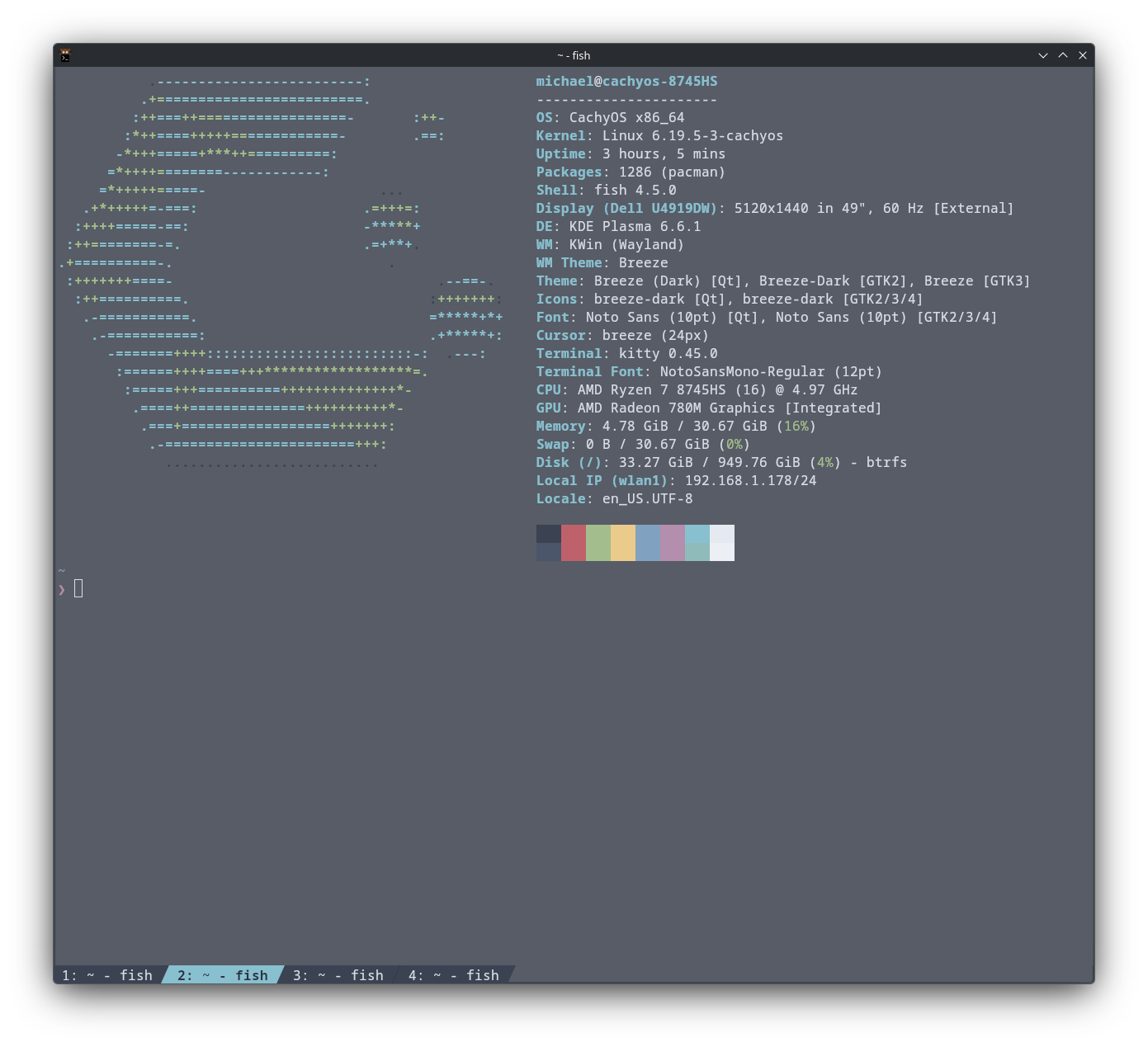
The test machine is an AceMagic W1 mini PC with an AMD Ryzen 7 8745HS. It's a Phoenix-based APU with 8 cores, 16 threads, and a Radeon 780M integrated GPU. Respectable silicon for a compact box.
This is the same machine I wrote the IT5570 fan control driver for. To be fair, I didn't need to write a driver. The EC has its own fan control logic baked into firmware, and under normal circumstances I wouldn't care how it manages thermals — that's its job. But during a Rocket League session, I noticed stuttering that shouldn't have been there. I installed coolercontrol, looked at the temperatures, and saw the CPU sitting in the high 90s while the fan was barely audible. The EC's built-in fan curve was far too conservative, letting the chip thermal-throttle without ramping the fan to cool. I needed to get the thermals under control. My control. But more on that later.
Installation: One Bump in the Road
The SSD had Proxmox VE installed on it from a previous life as a virtualization host. This turned out to be a problem. The CachyOS installer couldn't configure partitions automatically — it choked on the existing Proxmox LVM volumes and couldn't delete them. The automatic partitioning option simply refused to proceed.
The fix was crude but effective. I dropped into the live desktop's terminal and ran:
dd if=/dev/zero of=/dev/nvme0n1 bs=1M count=100
This zeroed out the first 100 MB of the disk, obliterating the partition table and LVM metadata. After a reboot back into the live environment, the installer saw a clean, unpartitioned disk and was happy to proceed with automatic partitioning.
Beyond that hiccup, the installation was uneventful. I went with KDE Plasma (the default choice — I don't know enough about the alternatives to have an opinion), enabled LUKS full-disk encryption, and let the installer handle everything else. The whole process, minus the Proxmox detour, took a fraction of the time a fresh Windows installation demands. No two-hour update hostage situation. No mandatory Microsoft account. No Copilot waving at me from the taskbar.
The Desktop
KDE Plasma greeted me with a clean, minimal desktop. I haven't used it long enough to love or hate it, but my first reaction was relief: very little visual clutter.
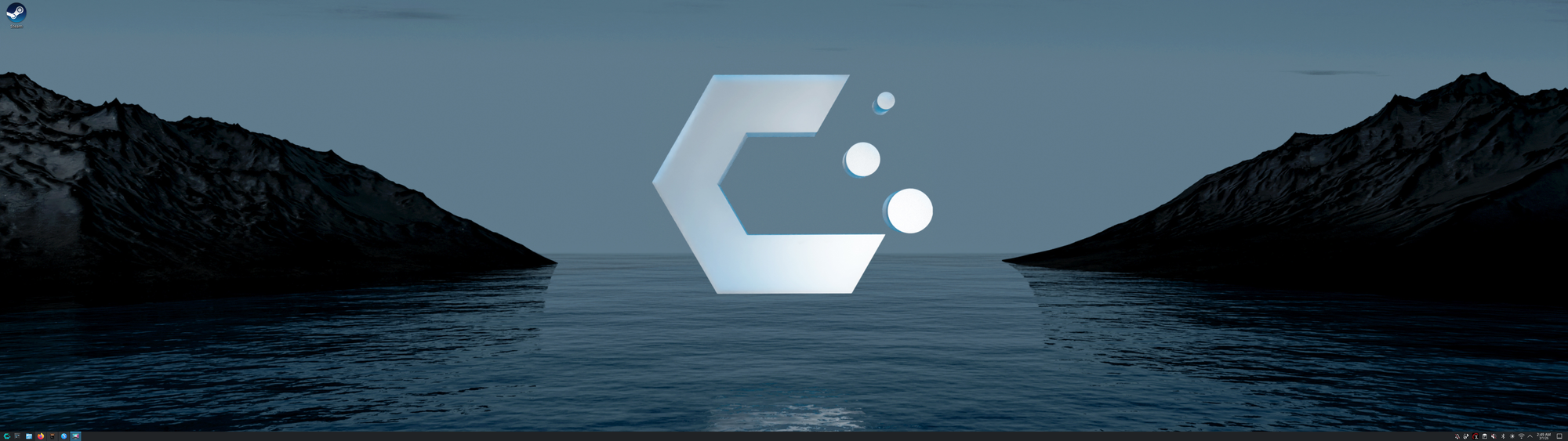
No widgets panel I didn't ask for, no news feed, no "Discover more with Microsoft Edge." Just a taskbar and a wallpaper. It stays out of the way and lets me focus on what I'm actually doing, which is all I want from a desktop environment.
One early change: the default terminal is Alacritty, which looks great out of the box but doesn't support tabs. Coming from iTerm2 on macOS, I live in tabs. Kitty uses the same GPU-accelerated rendering as Alacritty and supports native tabs, so I swapped it in. Kitty's default appearance is admittedly ugly — it took a few configuration file edits to get it looking as polished as the Alacritty it replaced — but once configured, it's the better terminal for how I work.
One quirk did catch me off guard. I had a Settings window open somewhere, forgot about it, and clicked the Settings icon again. Instead of switching to the existing window — which is what both macOS and Windows would do — KDE told me bluntly that another instance was already open and I needed to close it first. A small thing, but a reminder that "clean and functional" and "polished to Apple standards" are still different things.
The Software
The first thing I noticed was speed. Not boot speed — LUKS encryption means I'm typing two passwords before I see a desktop, so the boot process is whatever. But application launch speed? Firefox opens in a split second. LibreOffice is instant. The system feels unburdened in a way that Windows never does, because there's no telemetry, no indexing service, no background update machinery fighting your applications for CPU time.
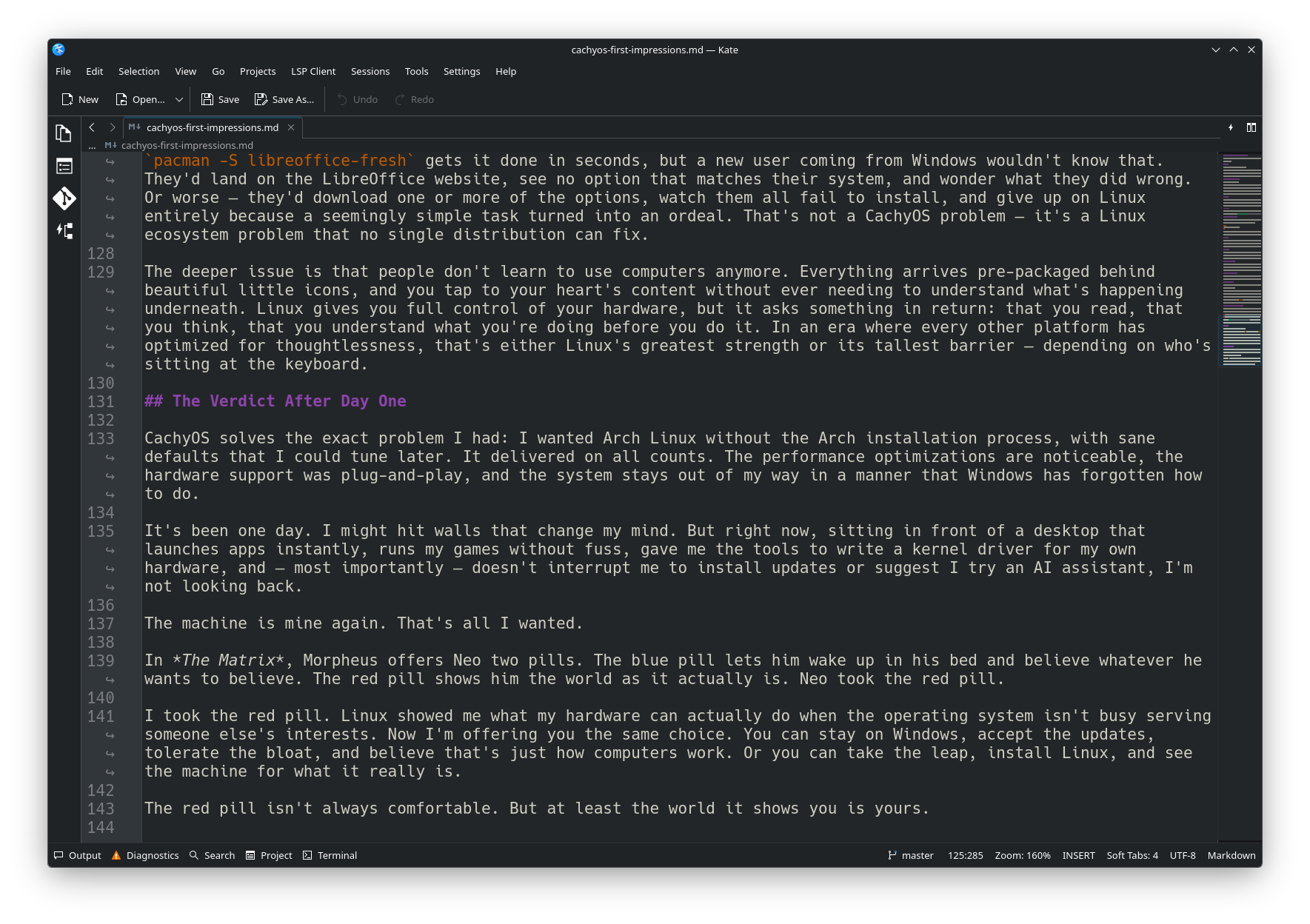
The preinstalled software deserves a mention. CachyOS ships with a well-curated set of KDE applications, and the standout is Kate. It's a text editor that does syntax highlighting, split views, integrated terminal, regex search and replace, and bracket matching — all out of the box. Windows Notepad is lightyears behind. I spent years reaching for Notepad++ or VS Code on Windows for tasks that Kate handles natively. macOS is no better — TextEdit is a glorified rich text notepad. The fact that I had to install VS Code just to edit Markdown on a Mac (before eventually switching to Ulysses for writing and Zed for code) is mind-boggling. Kate ships free with the desktop and does what both platforms charge you extra software to accomplish.
Coming from the Debian/Ubuntu world where I've run servers for years, the package manager transition from apt to pacman and paru took some adjustment. The syntax is different, the mental model is different, and the AUR is a fundamentally different concept from anything in the Debian ecosystem. But once the muscle memory settles, it's hard to go back. The AUR alone is worth the switch — if someone has packaged it, it's there, and paru -S package-name just works.
Gaming: Better Than Expected
I installed Steam, added Rocket League and Portal 2, and braced for disappointment. I'm running an integrated GPU. These are Linux ports running through Proton. My expectations were calibrated accordingly.
They were wrong. Both games run surprisingly well on the Radeon 780M. Proton has matured to the point where "install and play" is the default experience for a growing library of titles. I'm not pushing demanding AAA games — you can't on an iGPU — but for the kind of gaming I actually do, the experience is seamless. No driver hunting. No compatibility layers to configure manually. Steam's Proton just handles it.
Valve's investment in Linux gaming has fundamentally changed the equation. The Steam Deck proved that Linux could be a gaming platform. CachyOS inherits all of that work.
Power and Performance: The Numbers
Idle power draw dropped from 18–20W under Windows to 12–14W under CachyOS. It's not a dramatic difference — maybe $20 a year in electricity, which won't even buy you two months of Netflix — but it's measurable. Without the background telemetry, indexing, and update services that Windows runs constantly, the CPU simply has less to do at idle.
Geekbench results were close. CachyOS came in under 5% faster than Windows 11 Pro on the same hardware — splitting hairs, really. That's run-to-run variance territory. Nobody should switch operating systems for a number that's within margin of error. The reason CachyOS feels faster has nothing to do with benchmark scores and everything to do with what isn't running in the background.
The Scheduler Rabbit Hole
One of CachyOS's headline features is the ability to choose your CPU scheduler at install time. This isn't something most distributions offer, and it speaks to CachyOS's identity as a distribution for people who care about performance tuning.
CachyOS offers several options:
EEVDF (Earliest Eligible Virtual Deadline First) is the upstream Linux default since kernel 6.6. It's the safe, well-tested baseline that replaced the old CFS scheduler. Good general-purpose performance, best raw throughput.
BORE (Burst-Oriented Response Enhancer) is a patch set on top of EEVDF that adds burstiness tracking. It monitors how tasks consume CPU time between voluntary sleeps and yields, and dynamically boosts tasks that work in short bursts — exactly the pattern of interactive desktop use like switching between applications. It has full support for AMD's CPPC Preferred Cores, meaning it correctly routes single-threaded work to your fastest cores. For pure desktop responsiveness on AMD hardware, BORE may be the strongest choice.
sched-ext is the newest and most interesting option. Rather than a single scheduler, it's a kernel framework (upstream since kernel 6.12) that allows BPF-based schedulers to be loaded and unloaded at runtime — no reboot required. Multiple schedulers are available, each optimized for different workloads: scx_lavd was purpose-built by Valve for the Steam Deck to eliminate gaming micro-stutters, scx_bpfland excels at keeping interactive tasks responsive alongside heavy background loads, and scx_rusty focuses on cache-aware load balancing.
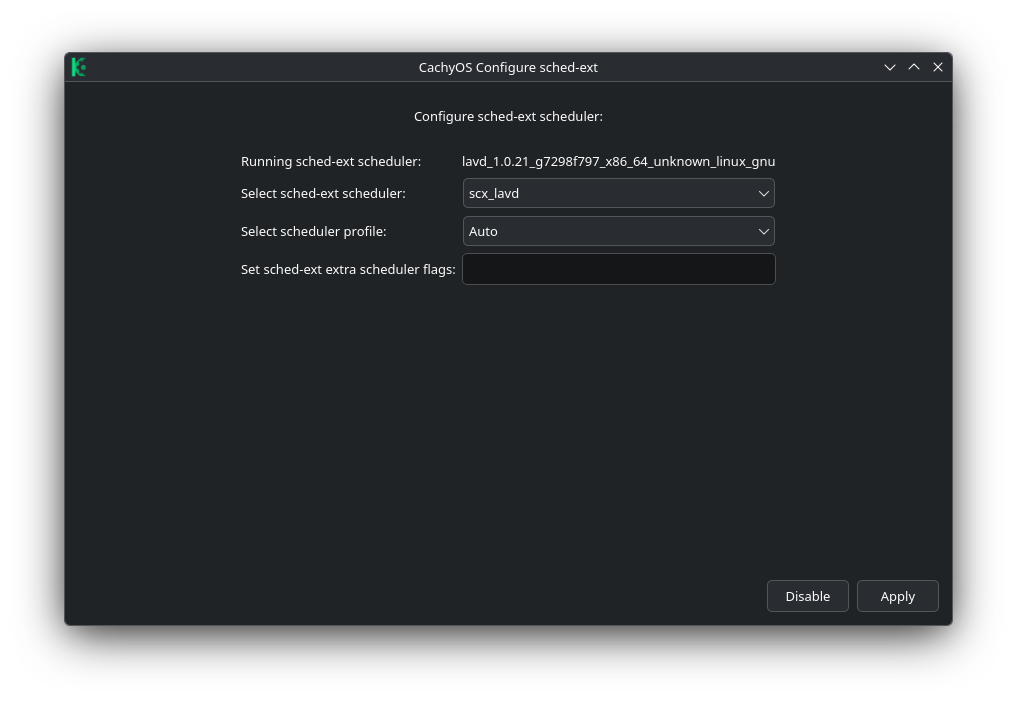
I chose sched-ext. Valve's investment in scx_lavd for the Steam Deck was persuasive, and the idea of swapping schedulers at runtime without rebooting appealed to me. The flexibility is remarkable: you can run scx_lavd in gaming mode while playing, switch to scx_bpfland for a coding session, and fall back to the default EEVDF if a sched-ext scheduler misbehaves — all without touching the kernel or rebooting.
After doing more research, I've learned that BORE might actually be the better fit for my primary use case of desktop app switching and general interactivity, especially on AMD hardware where CPPC Preferred Core support matters. sched-ext schedulers reportedly have limited CPPC support, which means they may not route single-threaded bursts to the fastest cores as effectively as BORE does. That's my next experiment: switching to a BORE kernel and comparing the feel. The fact that I can make that comparison at all — that my operating system lets me choose how its most fundamental resource allocation works — is exactly the kind of freedom that makes Linux compelling.
Writing a Kernel Driver: Why Linux Tooling Matters
Remember the thermal throttling from earlier? The EC's fan curve was letting the CPU hit the high 90s while keeping the fan nearly silent.
There's no mainline Linux driver for the ITE IT5570, and no vendor utility either. So I wrote one.
The IT5570 is an 8051-based embedded controller with no public programming guide for its fan control interface. The register map doesn't exist in any datasheet. To build the driver, I had to reverse-engineer the EC's register layout from scratch:
- DSDT analysis — Linux's ACPI tools let me dump and decompile the system's ACPI tables, revealing the EC's base address and command interface, though the tables contained no fan control methods.
- EC SRAM diffing — I dumped the full 8KB EC SRAM at idle, under CPU stress, and during cooldown, then compared the dumps to identify registers that tracked temperature, RPM, and fan duty cycle.
- Brute-force register probing — Systematically writing to each EC register while monitoring fan RPM changes to find the control register.
The result is it5570-fan, a hwmon kernel module that exposes six temperature sensors, fan RPM monitoring, and manual PWM fan speed control. It integrates with coolercontrol for custom fan curves and supports DKMS for automatic rebuilds across kernel updates. It's on the AUR — CachyOS users can install it with paru -S it5570-fan-dkms.
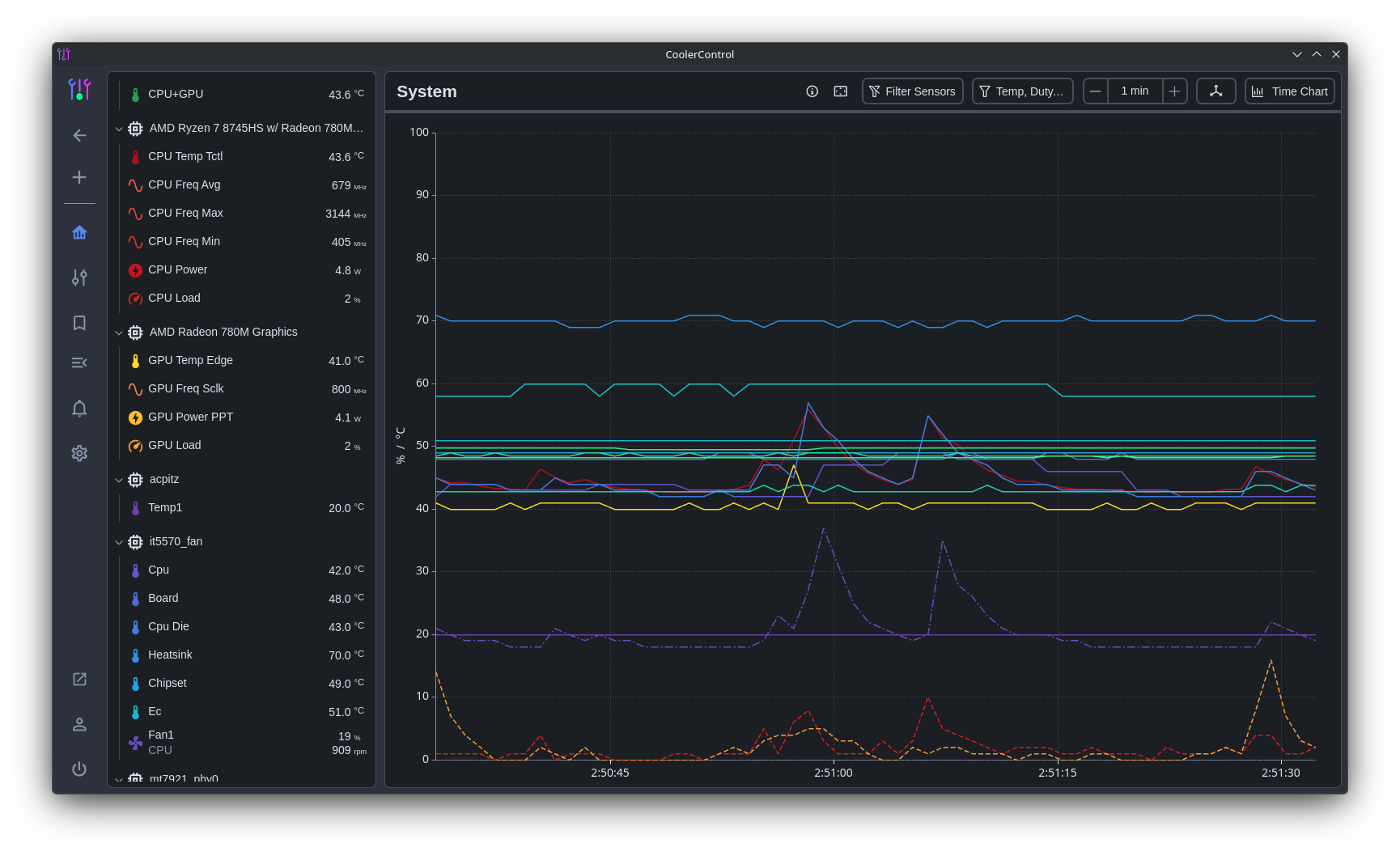
The fan driver wasn't my only hardware fix. The W1's MediaTek MT7922 WiFi 6E adapter refused to connect to 6GHz networks — not because of a hardware limitation, but because the Linux wireless-regdb flags all US 6GHz channels as NO-IR (no initiate radiation). The adapter could hear my router's 6GHz beacons but wasn't allowed to respond. The fix was a one-line change to a regulatory database text file: remove NO-IR, rebuild the binary with db2fw.py, and reload the driver. Instant 6GHz at 160 MHz channel width and over 1 Gbps throughput.
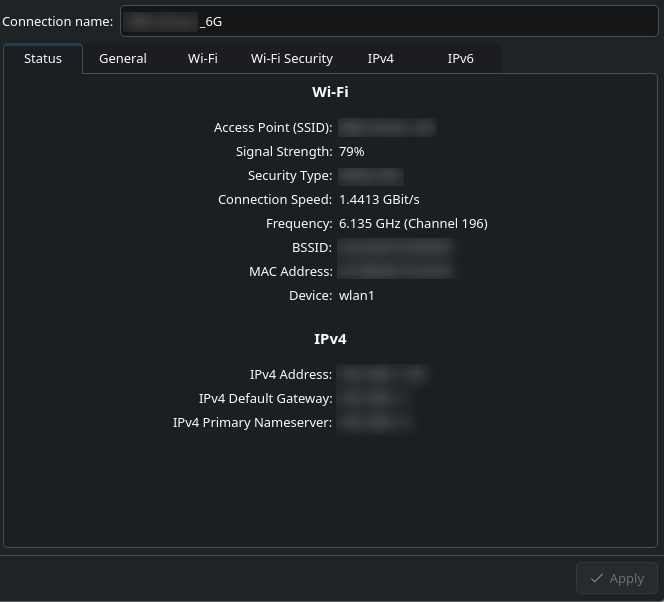
I wrote a full post about the 6GHz debacle if you want the details, but the point is the same: iw, wireless-regdb source, and a Python build script gave me everything I needed to diagnose and fix the problem. On Windows, if the driver doesn't support it, you wait and hope.
None of this would have been possible on Windows. Not because Windows can't do low-level hardware access, but because the entire ecosystem of tools — acpidump, iasl, iw, direct port I/O from kernel modules, the hwmon subsystem, DKMS, the AUR distribution pipeline — doesn't exist there. Linux gave me the tools to understand my own hardware and write software to control it. Windows gave me a vendor utility that may or may not work and a kernel that actively discourages you from talking to your own devices.
What I Miss
Honesty demands a short list of things that aren't better:
The package manager learning curve is real. Years of apt muscle memory don't transfer to pacman. The flags are different (-S vs install, -Syu vs update && upgrade, -Rns vs purge). paru and the AUR add another layer of concepts. It's not harder — just different, and different takes time.
LUKS encryption means slow boots. Two passwords before you see a desktop. This is a trade-off I chose, and it's the same on any encrypted Linux system, but it's worth noting for anyone coming from Windows where BitLocker unlocks silently via TPM, or macOS where encrypted APFS auto-unlocks via the Secure Enclave that ships standard on every Mac.
Some things still require the terminal. KDE Plasma is polished, but there are moments where the GUI runs out of options and you're dropped into a terminal to fix something. For me, that's fine. For someone coming from Windows expecting everything to be clickable, it might not be.
Software installation is still a Linux problem. This is where Windows and macOS genuinely have the edge. On a Mac, you drag a .app to a folder. On Windows, you double-click an .exe. Both have curated app stores. On Linux, you're navigating a sea of package formats — .deb, .rpm, Flatpak, Snap, AppImage — or building from source. The AUR helps enormously on Arch-based systems, but it's still source code being compiled on your machine. I can handle that just fine; I've been building software from source for years, and the concept of ./configure && make && make install isn't new to me. CachyOS does ship a GUI package manager, and the experience is much better than cold CLI — but it isn't the end-all-be-all solution to this problem. People are conditioned to find software on a publisher's website and download whatever's there. Take LibreOffice: their download page offers aarch64 .deb/.rpm and x86-64 .deb/.rpm. None of those would have worked on my CachyOS installation. Of course, pacman -S libreoffice-fresh gets it done in seconds, but a new user coming from Windows wouldn't know that. They'd land on the LibreOffice website, see no option that matches their system, and wonder what they did wrong. Or worse — they'd download one or more of the options, watch them all fail to install, and give up on Linux entirely because a seemingly simple task turned into an ordeal. That's not a CachyOS problem — it's a Linux ecosystem problem that no single distribution can fix.
The deeper issue is that people don't learn to use computers anymore. Everything arrives pre-packaged behind beautiful little icons, and you tap to your heart's content without ever needing to understand what's happening underneath. Linux gives you full control of your hardware, but it asks something in return: that you read, that you think, that you understand what you're doing before you do it. In an era where every other platform has optimized for thoughtlessness, that's either Linux's greatest strength or its tallest barrier — depending on who's sitting at the keyboard.
The Verdict After Day One
CachyOS solves the exact problem I had: I wanted Arch Linux without the Arch installation process, with sane defaults that I could tune later. It delivered on all counts. The performance optimizations are noticeable, the hardware support was plug-and-play, and the system stays out of my way in a manner that Windows has forgotten how to do.
It's been one day. I might hit walls that change my mind. But right now, sitting in front of a desktop that launches apps instantly, runs my games without fuss, gave me the tools to write a kernel driver for my own hardware, and — most importantly — doesn't interrupt me to install updates or suggest I try an AI assistant, I'm not looking back.
The machine is mine again. That's all I wanted.
In The Matrix, Morpheus offers Neo two pills. The blue pill lets him wake up in his bed and believe whatever he wants to believe. The red pill shows him the world as it actually is. Neo took the red pill.
I took the red pill. Linux showed me what my hardware can actually do when the operating system isn't busy serving someone else's interests. Now I'm offering you the same choice. You can stay on Windows, accept the updates, tolerate the bloat, and believe that's just how computers work. Or you can take the leap, install Linux, and see the machine for what it really is.
The red pill isn't always comfortable. But at least the world it shows you is yours.
https://www.reddit.com/r/mctk/comments/1ri9p3g/one_day_with_cachyos_an_arch_experience_without/